








































Pick the exact color you see.
Use Chrome's native color picker to capture precise HEX values anywhere on screen. The last four picks stay in the panel.
Founder Edition : 599€ one-time · Limited spots
Get it now →Discover stores while you browse, understand the signals behind them, uncover products and ads worth investigating, and keep everything organized in one research workspace.
Chrome extension and Cloud workspace · Free plan availableEvidio connects discovery, store analysis and competitive research instead of forcing you to rebuild the context across separate tools.
Discover Shopify stores through Google and through the intelligence Evidio has already collected.
02Read traffic, catalog, advertising, audience, technology and opportunity signals together.
03Research best sellers, product evidence and the catalog behind them.
04Research observed Meta, Google and TikTok activity, creatives and advertised products.
05Save stores, products and ads, then organize, filter and compare them later.
06Use live browser tools for colors, design, media and responsive checks.
Evidio starts where e-commerce research often begins: search. Identify Shopify stores inside Google, judge which results deserve attention and move straight into deeper analysis.
Spot Shopify stores instantly on Google
When you search on Google, Evidio automatically scans every result. Shopify stores get a badge with their confidence score and product count: right on the search page. No need to open each site manually.
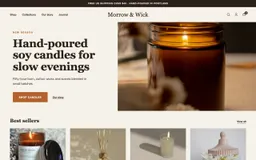
morrowandwick.com
Smokey Wood Soy Candle
hollowkiln.com
Stoneware Mug
wickandfern.com
Smoked Glass Candle
Search normally. Evidio adds the intelligence layer.
Instead of opening five separate tools to understand one competitor, Evidio brings the most useful signals into a single store profile.
Full X-ray of any Shopify store
Visit any Shopify store and open the side panel. Get the complete breakdown in seconds: opportunity score, catalog stats, best-sellers with images, pricing strategy, theme detection, and market intelligence.
Why this score
3Risks
Nothing weak enough to flag.
Know where their visitors come from
Traffic estimates, source breakdown, engagement metrics, and growth trends. See which countries drive the most traffic, what keywords they rank for, and whether the store is growing or declining.
The budget goes mostly to Paid search.
best soy candles made in the USA
long-burning candle that does not soot
reed diffuser for a small hallway
The goal is not more metrics. It is enough context to make a better research decision.
A product appearing in a catalog does not prove that it sells. Evidio combines several signals to help separate ordinary listings from products worth a closer look.
Save the best products you find across all stores into one curated collection, and check the stock each variant exposes whenever you want a fresh reading.



A product list tells you what exists. Signals help tell you what deserves attention.
Advertising adds another layer of evidence. Evidio brings observed Meta, Google and TikTok activity together with the store and the products behind it.
What a store is running, and what it costs them
Evidio collects a store's active creatives on Meta, TikTok and Google. For each ad: the visual or video, the published reach, countries reached, the age and gender split, and a spend estimate flagged as such. The same creative running under several targetings is grouped.
Smokey Wood Soy Candle19 ads · 7 creatives74d Reed Diffuser No. 211 ads · 4 creatives31d
 White Tea Candle4 ads · 2 creatives12d
 Olive Travel Tin4 ads · 2 creatives52d
 Glass Votive Candle3 ads · 1 creative90d
See which ad technologies are installed
Detect installed ad pixels from every major platform. If a store runs Meta + TikTok + Google Ads: they're investing serious money in paid acquisition. That's a strong validation signal for the niche.
Equipment, not spend: the store can advertise on these platforms. See Advertising for campaigns actually running.
How long the store has existed, and until when
Smokey Wood Soy Candle19 ads · 7 crea · 74dReed Diffuser No. 211 ads · 4 crea · 31dWhite Tea Candle4 ads · 2 crea · 12dOlive Travel Tin4 ads · 2 crea · 52dGlass Votive Candle3 ads · 1 crea · 90dA pixel shows capability. A live ad shows activity.
Evidio separates the intelligence it already holds from the research you choose to keep. Explore broadly, then save only what matters to your own workspace.
Thousands of already-analyzed stores, one search away
Every analysis run by an Evidio user feeds a shared database. Search a store by name, filter by niche, country, traffic or advertising signals, then open its full profile, winning products and ads without running the analysis again. The free plan sees the first 10 stores, without search; paid plans search and filter the whole base.
Interesting findings should not disappear when the tab closes. Evidio turns individual discoveries into a research library you can filter, organize and compare.
Your command center for store research
Every analyzed store is saved to your dashboard. Filter, sort, tag, compare, and export. The dashboard is your research hub: organize stores by status, track your favorites, and build your competitive database.
Put up to 10 stores next to each other and compare every metric at a glance. Score, traffic, apps, pixels, pricing, catalog size: everything aligned in one view so you can spot the winner instantly. Comparing 10 stores requires the Agency plan; Pro compares 5.
Evidio uses each surface for the job it does best. The extension works where live browser access matters; the Cloud keeps the research structured once the page is gone.
Reverse-engineer their tools
Identify 370+ Shopify apps across 32 categories. Know which review app they use, their email platform, their upsell strategy, and their payment methods: all from a single page scan.
How long the store has existed, and until when
Payment solutions and methods accepted on the store.
Analytics, tracking and optimisation tools.
Tools used for marketing and advertising.
Support and customer-review solutions.
Use Chrome's native color picker to capture precise HEX values anywhere on screen. The last four picks stay in the panel.
Inspect the colors and typography detected on the analyzed store.
See the media the page loaded, spot oversized assets, and download a single file or the whole set as a ZIP.
Open the storefront in mobile or tablet-sized Chrome windows to check the responsive experience.
Every tool you need to run serious competitive research.
See the campaigns a store is actually running across Meta, Google and TikTok, and which of its products are getting the budget. A pixel proves a store can advertise; only an ad library proves it is spending.
Smokey Wood Soy Candle19 ads · 7 creatives74dReed Diffuser No. 211 ads · 4 creatives31dWhite Tea Candle4 ads · 2 creatives12dOlive Travel Tin4 ads · 2 creatives52dGlass Votive Candle3 ads · 1 creative90dThe Free plan gives you real Evidio research with limits on volume and depth, not a dashboard filled with locked screens.
See pricingEvery Shopify research tool in the extension, explained with its real capabilities and limits.
Review opportunity signals, estimated traffic, products, advertising, audience and technology without rebuilding the research across separate tools.
Read moreScan a Google Search or Shopping page and SERP Radar marks the results that run on Shopify, with a product count and a first opportunity score.
Read moreEvidio reads a store's own best-selling order when it can verify it, and says so when it can only infer likely leaders.
Read moreSearch the best sellers of stores already analyzed on Evidio, filter them by niche, country, price and ads, and keep the products worth following.
Read moreSee a store's estimated monthly visits, where they come from and which way they are moving, so you can compare its scale with other opportunities.
Read moreEvidio recognizes 370+ apps, pixels and tools from a storefront's public code, from reviews and email to upsells, subscriptions and payments.
Read moreEvidio finds the advertising pixels a storefront has installed, across 20 networks and its tag manager, and links you to the ad libraries where live ads can be checked.
Read moreSelect saved stores in your workspace and see their score, traffic, catalog, advertising and technology in one table, with the leader marked on each measure.
Read moreSave a product, run a stock check and see the quantity the storefront allows for each variant, with the date of the reading.
Read moreEvidio reads the theme a storefront declares and tells you whether it is an official Theme Store theme or a custom one.
Read moreEvery analysis collects the business emails and phone numbers a store publishes. On paid plans, the contacts directory lets you reveal more stores' contacts in bulk.
Read moreEvidio combines traffic, domain, currency, language and business signals to tell you where a store's audience is, where it is based and how widely it sells.
Read moreEvidio counts a store's public catalog as part of every analysis, with its variants, its out-of-stock share and how many products arrived in the last 90 days.
Read moreExport the stores you saved, their best sellers or your contacts to CSV, Excel or JSON, with 70 columns of data for each store.
Read moreWhen you analyze a store again, Evidio compares its catalog with the previous reading and shows what moved: product count, prices, promotions, stock and best sellers.
Read moreFrom a product in Evidio or a product image in Google, search its image on Google Lens, Yandex, AliExpress, Alibaba or CJ Dropshipping.
Read moreEvidio runs a Google Lighthouse audit on a store's homepage with your own free PageSpeed key, and keeps the scores with the rest of its profile.
Read moreEvery analysis on Evidio feeds a shared database. Filter it by niche, country, traffic, ads or best sellers, and open a store's profile without spending an analysis.
Read moreEvidio checks the Meta, Google and TikTok ad libraries for a store's live ads, shows which products get the budget and opens each creative's details.
Read moreEvidio reads a store's rating and review count on Trustpilot, Google Shopping and supported review apps, and keeps each source separate.
Read moreNetworks publish reach, never budgets. Evidio turns an ad's published reach into a spend range and a daily figure, and says how confident the estimate is.
Read moreEvidio shows the visits a store receives from AI assistants, their share of its traffic, which assistants send them and, when available, what people asked before arriving.
Read moreEvidio finds the social accounts a store links from its own pages and reads the follower counts the platforms publish, flagging those the platform rounded.
Read moreEvidio reads a storefront's homepage and reports the conversion tactics it uses, each with the exact text that gave it away.
Read moreA Shopify theme declares its settings in the page. Evidio reads the colors as hex values and the font families with their weights.
Read moreFree plan available. No credit card required. Upgrade anytime.